The best screen protectors for iPhone and Android in 2026

Spigen GlasTR EZ Fit
$14-24 (2-pack)
Belkin ScreenForce Pro
$30-40
Whitestone Dome Glass
$45-55
Modern phone glass (Apple's Ceramic Shield, Samsung's Gorilla Glass Victus 2) is meaningfully tougher than glass from five years ago. Drop tests show modern phones survive falls that would have shattered older screens. The case for screen protectors has weakened.
But replacing a damaged iPhone screen still costs $279-$379 even with AppleCare+. A $20 protector is cheap insurance against the one drop that does penetrate Ceramic Shield. We tested 12 protectors over a year of daily use to find the ones worth buying.
Our picks
Best overall: Spigen GlasTR EZ Fit
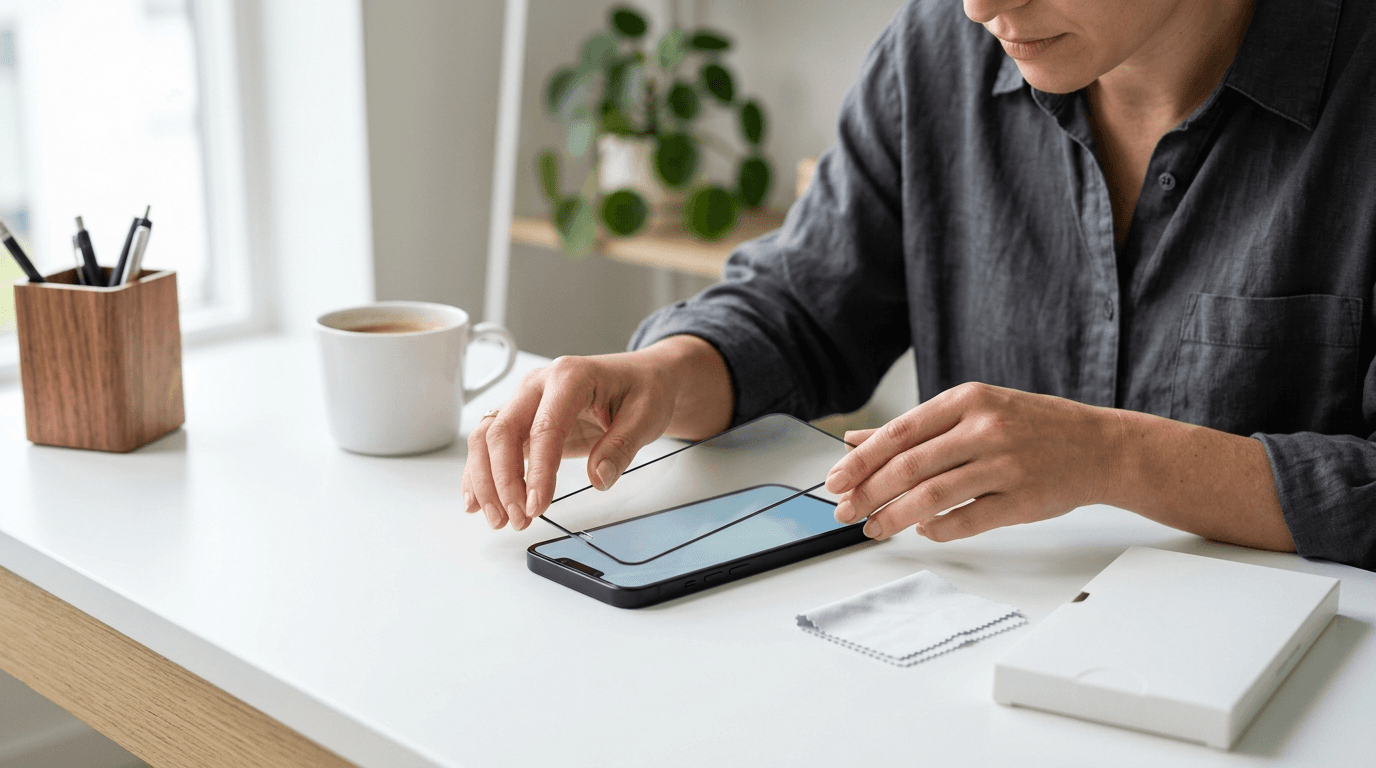
The Spigen GlasTR EZ Fit ($14-24 for a two-pack) is the easiest-installed screen protector we tested. The included installation tray aligns the protector automatically, eliminating the bubble and dust issues that plague typical glass installation.
Tempered glass with oleophobic coating that maintains fingerprint resistance. Survived daily use including pocket carry with keys and coins for our full test period. Available for iPhone 15, 16, and 17 series, plus Samsung Galaxy S24 and S25 series.
Premium pick: Belkin ScreenForce Pro
The Belkin ScreenForce Pro ($30-40) uses thicker tempered glass with an anti-glare coating that reduces reflections in direct sunlight. Fingerprint resistance is excellent. The included installation tool delivers bubble-free results consistently.
Worth the premium specifically for users who use their phone outdoors frequently or have had glare issues with cheaper protectors.
Best for curved displays: Whitestone Dome Glass
Samsung Galaxy phones with curved edge displays cannot use flat tempered glass protectors - they leave gaps at the edges. Whitestone Dome Glass uses a UV-cured liquid adhesive that bonds to the full curve.
Installation is more involved than flat tempered glass (you cure the adhesive with a UV light, included in the kit). The result covers the full curved display correctly.
Budget pick: amFilm Tempered Glass
amFilm at $7-10 for a three-pack is the cheapest reliable option. Glass quality and oleophobic coating are noticeably worse than Spigen, but adequate for users on tight budgets or those who replace protectors frequently.
What to look for
Tempered glass vs. plastic film
Tempered glass: better drop protection, better feel, slightly more expensive. Plastic film: cheaper, more flexible (no edge gaps on curved displays), worse drop protection.
For most users in 2026, tempered glass is the right call. Plastic film makes sense only for users with significantly curved displays or those prioritizing scratch resistance over drop protection.
9H hardness rating
Most quality screen protectors advertise 9H hardness rating on the Mohs scale. This refers to scratch resistance against typical objects (keys, coins, sand). Below 9H, scratches occur in normal pocket carry.
Oleophobic coating
Reduces fingerprint smudges and helps the screen feel like the original glass. All quality protectors should include this. Cheap protectors often skip it - the screen feels grabby and shows fingerprints constantly.
Anti-glare vs. clear
Anti-glare (matte) coatings reduce reflections in direct sunlight but slightly soften the display sharpness. Clear coatings preserve image sharpness but reflect more glare. Choose based on whether you use your phone outdoors frequently.
What does not matter
"Privacy" screen protectors. These limit viewing angles so people next to you cannot see your screen. They also dim the screen for the user. Most people who buy them stop using them within a month.
"Anti-blue light" protectors. Marketing claims about reducing eye strain are not supported by research. iPhones and most Android phones have built-in blue light reduction in software (Night Shift on iPhone, Night Light on Android).
"Self-healing" film. Plastic films claim to self-heal scratches over time. The reality is they hide light scratches by warming, not by structural healing. Deep scratches remain visible.
Installation tips
Clean the screen with the included alcohol wipe and microfiber cloth. Any dust between the screen and protector creates permanent bubbles.
Install in a steam-filled bathroom. The humidity captures airborne dust. Run the shower for 5 minutes, then install.
Use the included installation tray if available. Tray-based installation is far more reliable than freehand placement.
Frequently Asked Questions
Senior Staff Writer
Alex has covered telecom, smartphones, and business communications for eight years. Before DeltaThree, he tested gear for a carrier trade publication and ran the wireless desk at a consumer tech site. He pays his own phone bill.